The Challenge of Managing Multi-Level BOMs in Industrial Manufacturing
In industrial equipment manufacturing, managing multi-level Bills of Materials (BOMs) is far from a simple administrative task. Rather, it’s one of the biggest operational risks. Industry data shows that nearly 73% of BOM-related mistakes lead to major production setbacks, from assembly delays to increased rework and shrinking margins.
These aren’t isolated errors. A single mistake at the quoting stage can cascade across subassemblies, procurement, and production planning. Before you know it, teams are dealing with missing components, schedule disruptions, or, worst of all, equipment that can’t be built as configured. With thousands of parts, deep dependencies, and ever-changing rules, even a small misstep can compromise the entire process.
This is where CPQ software changes the game. By enforcing engineering rules, validating every option, and generating complete multi-level BOMs in real time, CPQ ensures that the BOM is production-ready the moment a quote is created.
In this blog, we’ll break down how CPQ automates multi-level BOM creation, eliminates manual errors, and keeps sales, engineering, and production perfectly aligned.
What Makes Industrial Equipment BOMs So Complex?
Managing a BOM is challenging in any manufacturing environment, but industrial equipment raises the stakes. Here’s why multi-level BOMs become so complicated:
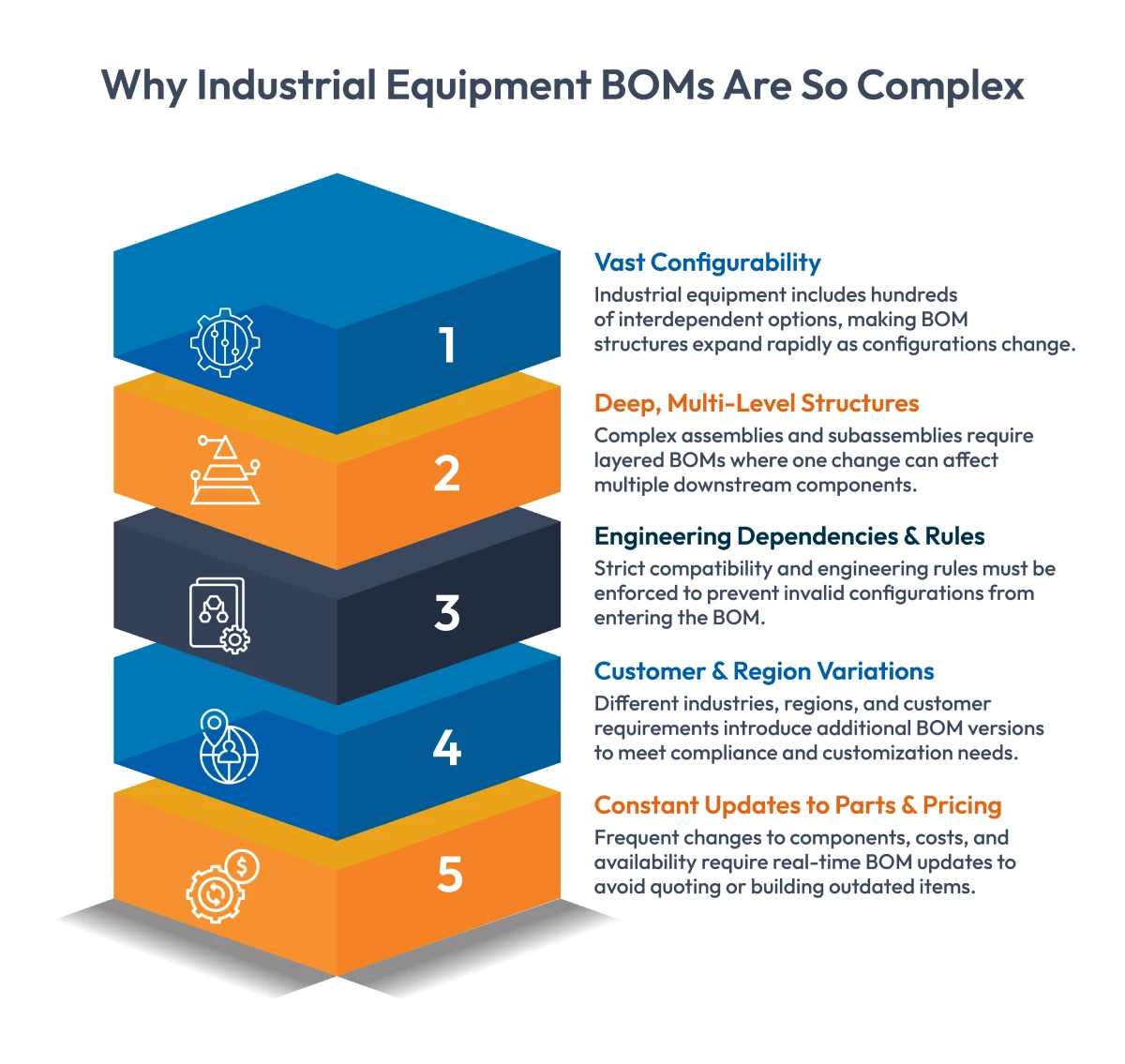
1. High Configurability Across Product Lines
Products like compressors, generators, material-handling equipment, or HVAC units often include hundreds, sometimes thousands, of variants. Motors, frames, enclosures, sensors, safety options, voltage levels…everything changes based on customer needs.
And each option has downstream implications. One selection affects another, setting off a chain of component adjustments across the BOM.
2. Deep BOM Structures with Multiple Layers
Industrial equipment rarely follows a simple, flat BOM. Instead, subassemblies break down into more subassemblies, which break down into components, and so on.
For example:
A “base unit” might include seven subassemblies, each with a dozen components, each with multiple versions.
Change one input, like material grade or voltage, and several lower levels may also need to change. Doing this manually leaves too much room for error.

Getting Your Money’s Worth from Your Configure-Price-Quote Solution: Calculating CPQ ROI
3. Complex Engineering Rules and Constraints
Compatibility rules are strict in industrial manufacturing. Electrical, mechanical, thermal, and safety requirements all influence how parts fit together.
Without an automated system enforcing these rules, sales teams might accidentally configure something that can’t be built, leaving engineering to troubleshoot the fallout later.
4. Customization Based on Region, Industry, and Customer Needs
Customers rarely buy “off the shelf.” Variations arise due to:
- Industry standards (construction, food processing, oil & gas)
- Regulatory compliance (CE, UL, IEC, ATEX)
- Environmental conditions
- Customer-specific add-ons
Each variation alters components, specifications, or entire subassemblies.
5. Constant Changes to Parts, Pricing, and Rules
Parts are discontinued. Supplier prices shift. Engineering updates specifications. A manual process can’t keep up, and even a tiny, outdated detail, like one obsolete part number, can break an otherwise valid BOM.
The Cost of Errors in Quote-to-Production Workflows
When BOMs aren’t accurate, core operations are affected. Here’s how those errors play out in real manufacturing scenario:
1. Wrong Parts Due to Outdated Information
Static spreadsheets and legacy documents often become outdated. If sales quote a part that engineering has replaced or discontinued, production eventually hits a roadblock, forcing last-minute changes and delays.
2. Version Mismatches Between Sales and Engineering
If sales use Version 2 of the product rules while engineering is on Version 4, BOM discrepancies become inevitable. These mismatches lead to costly back-and-forth, extra reviews, and missed deadlines.
3. Production Delays from Missing or Incorrect Components
Most BOM errors are discovered when it’s too late. Missing parts halt work. Incompatible assemblies require rework. Sourcing substitutes burns valuable time.
4. Scrap and Rework Eating into Margins
When incorrect builds reach assembly:
- Subassemblies must be torn down
- Damaged parts need replacement
- Production hours multiply
- Material waste increases
For high-value engineer-to-order equipment, this is a serious margin killer.
5. Longer Lead Times and Frustrated Customers
With every correction adding days to the schedule, deadlines slip. Customers get frustrated and confidence erodes. In competitive industries, these delays can cost more than money—they cost loyalty.
How CPQ Simplifies Multi-Level BOM Management
A modern CPQ solution automates and validates the entire configuration process, ensuring that every BOM is complete, accurate, and ready for production.
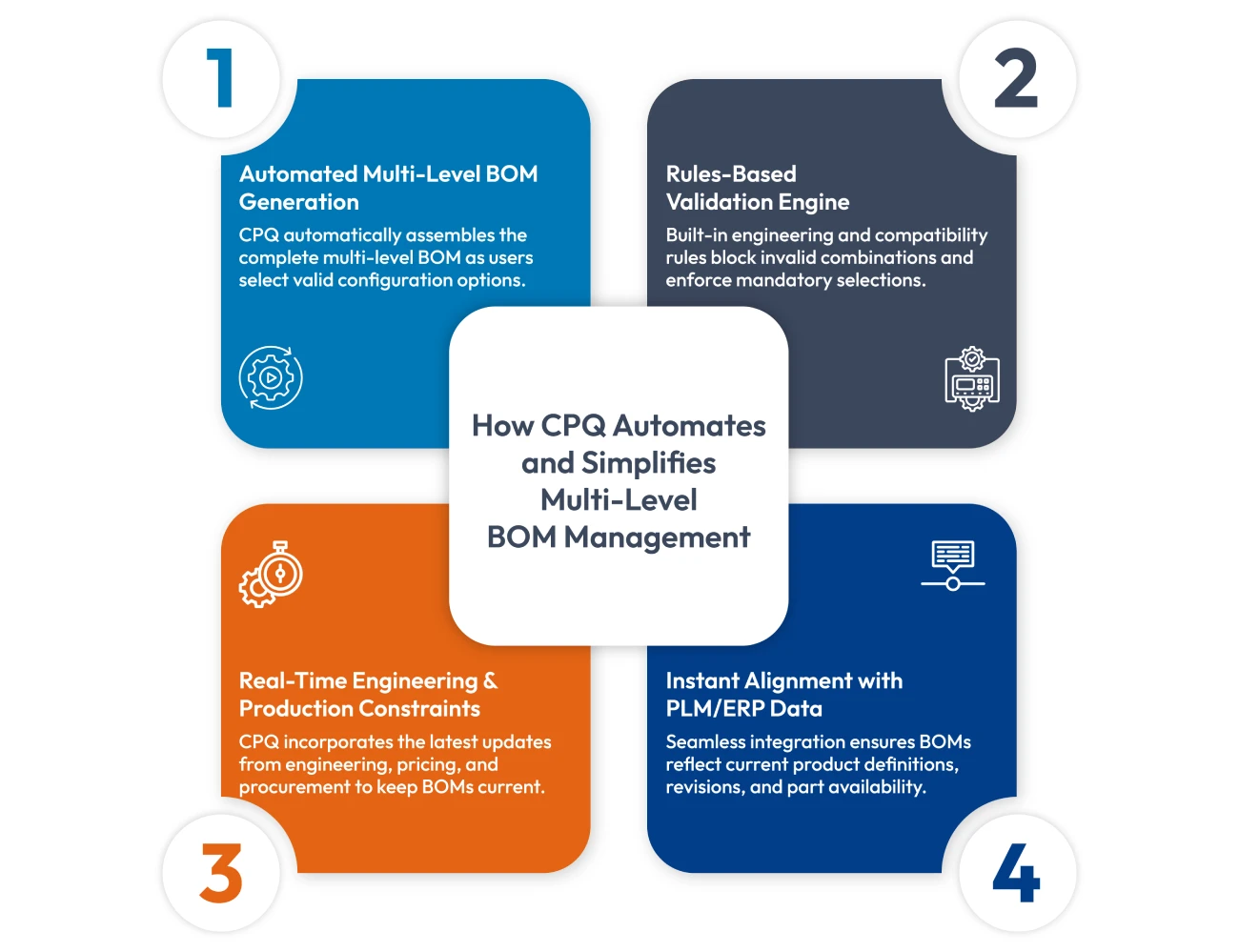
1. Automated Multi-Level BOM Generation
As users make selections, CPQ instantly updates subassemblies, dependencies, and required components. This ensures:
- No missing parts
- No incompatible options
- No version conflicts
The result is a complete, production-ready multi-level BOM, generated automatically.
2. Rules-Based Logic to Prevent Invalid Configurations
The CPQ rules engine enforces engineering constraints, ensuring only valid combinations move forward. This eliminates the risk of sales accidentally selecting an impossible or unsafe combination.
3. Real-Time Pricing, Engineering, and Production Data
CPQ pulls in the latest:
- Part numbers
- Pricing and cost updates
- Engineering rules
- Substitutes
- Compliance requirements
Everything is based on current data,, not assumptions or outdated files.
4. Instant Sync with PLM and ERP
With integrations in place, CPQ stays updated with:
- PLM engineering revisions
- ERP part availability
- Supplier updates
- Material changes
No manual effort. No misalignment. No surprises during production.
Real-Time Data Accuracy: Connecting Sales, Engineering, and Production
One of CPQ’s biggest advantages is its ability to unify cross-functional data, so everyone works from one trusted source.
1. Centralized Information Across All Teams
CPQ brings together data from:
- Sales (configurations, discounts, pricing)
- Engineering (rules, constraints, structure)
- Production (routing, materials, sequences)
This creates a shared, real-time view that reduces confusion and accelerates decision-making.
2. No More Data Silos or Out-of-Sync Versions
Without CPQ, every team works in its own system, creating inevitable inconsistencies. With CPQ, PLM and ERP updates sync instantly, eliminating version confusion.
3. BOMs Reflect Real Engineering and Production Requirements Immediately
Once a configuration is finalized, CPQ generates:
- Correct routing
- Accurate assemblies
- Latest part numbers
- Valid materials
No manual translation. No reinterpretation. No missing constraints.
4. One Source of Truth = Fewer Errors, Faster Cycles
With everyone working from a unified configuration, manufacturers see:
- Faster order reviews
- Quicker approvals
- Significantly fewer order changes
- More reliable production schedules
- Higher on-time delivery rates
Benefits of CPQ-Driven BOM Automation
Implementing CPQ transforms the quote-to-production process. Key benefits include:
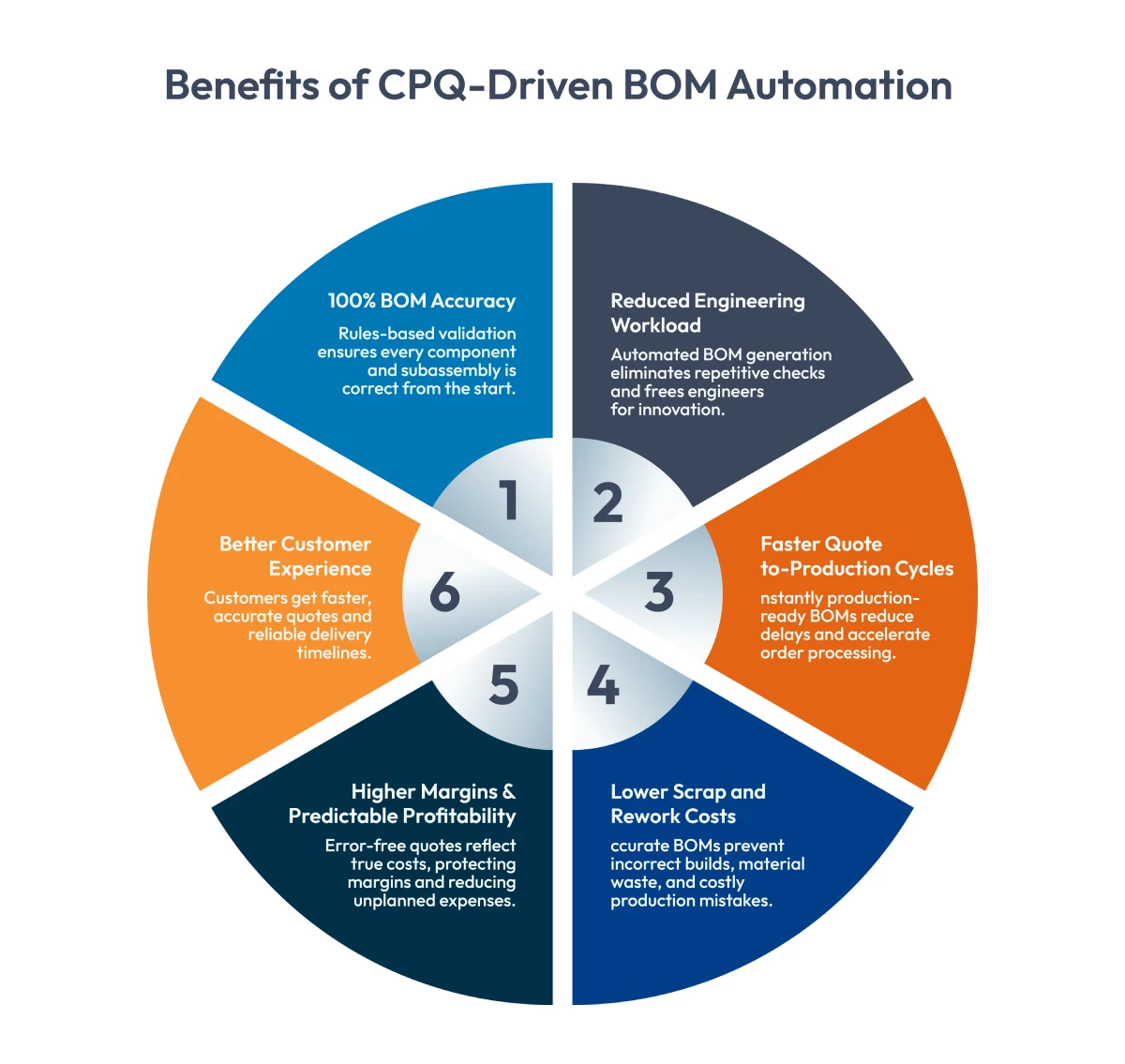
1. Near-Perfect BOM Accuracy
Rules-based configuration ensures every component and subcomponent is correct. No missing pieces. No invalid combinations. No guesswork.
2. Reduced Engineering Workload
Engineering no longer has to rebuild or re-check BOMs. Instead, they can focus on innovation and improving processes.
3. Shorter Lead Times
With fewer handoffs and no back-and-forth corrections, the entire cycle, from quote to production start, shrinks dramatically.
4. Lower Scrap and Rework Costs
Accurate BOMs reduce material waste and prevent invalid configurations from reaching the production floor.
5. Higher Margins and Predictable Costs
Accurate pricing and components lead to predictable profitability and fewer unexpected expenses.
6. Better Customer Experience
Customers receive faster quotes, more accurate commitments, and more reliable delivery timelines.
Want to see the real-world impact?
Learn how Brother Industries unified its Sales and Manufacturing BOMs with Cincom CPQ, eliminating errors and manual corrections.
Integrating CPQ with ERP and PLM for Seamless Production
CPQ becomes even more powerful when connected to ERP and PLM.
CPQ + ERP Integration
- Push multi-level BOMs directly into production
- Enable timely procurement and MRP planning
- Keep pricing and inventory synced
CPQ + PLM Integration
- Sync engineering rules and product structures
- Ensure configurations match current revisions
- Maintain alignment across design and manufacturing
Together, these integrations create a smooth, end-to-end flow from configuration to production.
Conclusion
Managing multi-level BOMs doesn’t have to drain resources or lead to surprises on the production floor. With CPQ, manufacturers can automate BOM creation, eliminate errors, speed up handoffs, and improve collaboration across departments.
The result? Better margins, faster cycles, and consistently strong customer experience.
Ready to see it in action? Talk to a CPQ expert today!
FAQs
1. What is a multi-level BOM?
It’s a hierarchical breakdown of assemblies, subassemblies, and components required to build a product from start to finish.
2. How does CPQ manage multi-level BOMs?
CPQ automatically generates and validates BOMs based on configuration rules and engineering logic.
3. What are the main benefits of BOM automation?
Higher accuracy, reduced rework, faster timelines, and better resource planning.
4. Can CPQ integrate with ERP and PLM?
Yes. These integrations ensure every BOM reflects real engineering revisions, materials, pricing, and production rules.
5. How does CPQ prevent errors between sales and production?
By guiding only valid configurations and generating a complete, accurate multi-level BOM instantly.