
- CPQ
- Eloquence
- Cincom Eloquence®: CCM Software
 Evaluate Your Insurance Communications Strategy With Scorecard
- Assess your insurer’s strategy with customer communication scorecard to boost engagement, compliance, and satisfaction.
- Download eBook
Use Cases Financial Services & Bankinghttps://www.cincom.com/wp-content/uploads/2026/06/FinancialServices.svg
- Smalltalk
- Company
- Resources
- Contact
CPQ CAD Integration
Streamline Quoting with CAD-Driven Precision
Proven Results for Complex Manufacturing
Retention

Validation

Reduction
CPQ with CAD Integration for Faster,
Smarter Manufacturing
Visualize configured products in 3D and generate drawings and renders to give customers and sales teams a clearer view of the proposed product.
Apply CPQ engineering rules before CAD generation to reduce invalid configurations and avoid unnecessary design revisions.
Generate CAD drawings directly from configured dimensions, materials, and product options to support accurate quoting for complex ETO, MTO, and CTO products.
Generate drawings and models from parametric CAD templates for standard and semi-custom variants, reducing repetitive engineering work and accelerating quote preparation.
Connect product configuration with CAD outputs to reduce gaps between sales and engineering and help complex orders progress with the right product information.
See how CAD and CPQ integration can streamline configuration, automate design workflows, and speed up the path from quote to production.
Why Cincom’s CPQ with CAD Integration Changes the Game
Cincom’s CPQ with CAD integration unites design accuracy with quoting speed, ensuring that every configuration is both visually validated and production-ready. The result is faster quotes, fewer redesigns, and a seamless integration from customer requests to manufacturing.
Automated CAD Model Creation
Configured products in CPQ instantly generate precise drawings through CAD automation, removing redundant manual design work and saving valuable engineering hours.
Built-In Design Feasibility Checks
Every selection is automatically validated against geometry, constraints, and part logic, catching incompatibilities before they reach production with CAD automation for manufacturing.
Faster, More Accurate Quotes
Cincom CPQ connects product configuration with CAD drawing generation, bringing drawings and relevant product data for more accurate quotes with less manual coordination.
Connected Sales and Engineering Workflows
Every approved configuration automatically produces up-to-date CAD outputs, helping sales and engineering teams stay aligned and move complex orders forward with fewer manual handoffs.
Support for ETO, MTO, and CTO Manufacturing
Support ETO, MTO, and CTO workflows by generating accurate CAD drawings from parametric templates, reducing manual work on customer-specific designs.
Multi-System Integrated Workflow
Cincom CPQ attaches CAD outputs to approved quotes, making them available to connected ERP and PLM systems to support a more connected quote-to-order process.
Want to See How CAD Automation and
CPQ Can Speed Up Sales and Design?
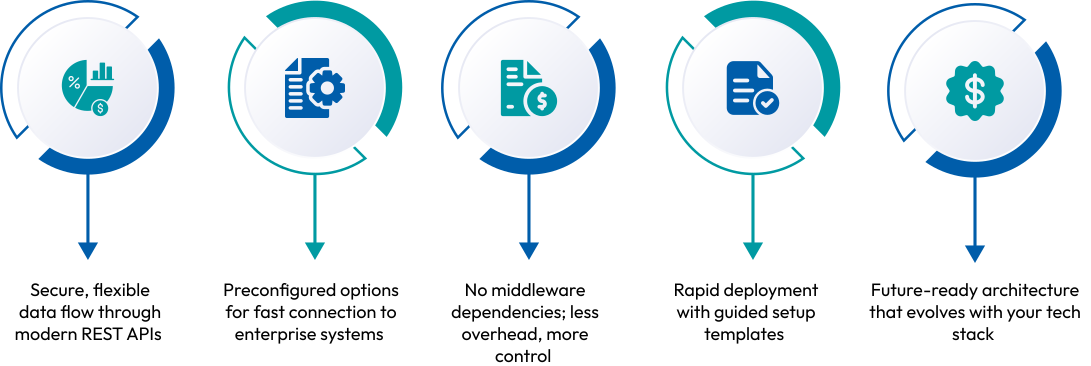
What Makes Our Integration Framework Stand Out
Ready to Accelerate Complex Quoting with CAD Integration?
Why Choose Cincom for CPQ and CAD Integration?
Built to Fit Your Technology Landscape
Connect Cincom CPQ with enterprise systems through Cincom Integration Framework designed to work with your existing technology ecosystem.
Integration with Leading CAD Platforms
Connect Cincom CPQ with CAD platforms such as SolidWorks and Autodesk Inventor through REST APIs and dedicated connectors.
Adapt as Your Business Evolves
As your products evolve and your business grows, Cincom’s modular platform scales with you. Add regions, product lines, or new workflows without starting over.
Which CAD Platforms Integrate Natively with Cincom CPQ?


Eliminate Quoting Errors, Accelerate Time-to-Value
See how Cincom CPQ CAD integration delivers speed, accuracy, and alignment across your business.