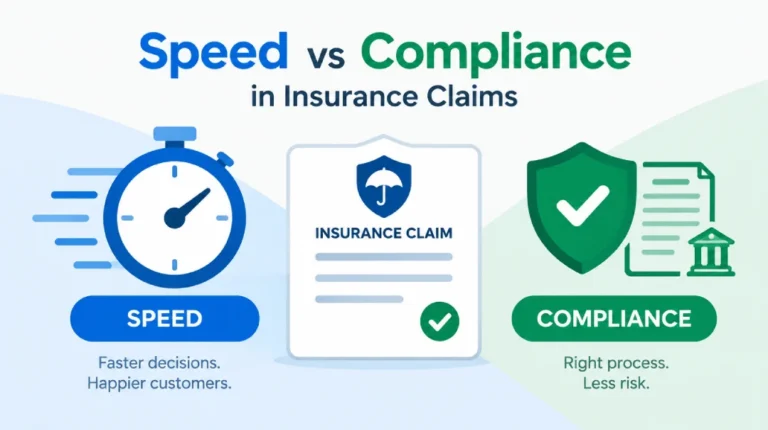
Introduction: The Hidden Complexity of High-Volume Document Environments
On the surface, document management appears to be a straightforward process. Store, track, and retrieve. However, the moment you apply those principles at scale, the entire equation shifts.
Documentation doesn’t begin when a takes up your services. It starts much earlier, with personalized marketing materials and product information tailored to each individual. Once a customer is onboarded, the volume only grows. And when an issue or request arises? That’s when the real complexity hits, with back-and-forth communications spanning dozens—or even hundreds—of documents.
This is the reality of high-volume document management—not a one-time workflow issue, but an ongoing, multi-directional communication challenge that occurs at scale.
In this article, we’ll break down what teams are really struggling with behind the scenes, the four most common pitfalls organizations encounter, and document management best practices that help high-volume teams shift from being reactive to proactive.
Where Document Workflows Break Down—And What It’s Costing Your Teams
If your operations team is constantly searching, duplicating, or second-guessing documents, the problem isn’t people; it’s the system.
“Where’s the signed policy version?”
“Can I undo that change on the underwriting file?”
“Which of these claim forms is final?”
“Why can’t I find this document in the portal?”
“Did we send that letter to the customer?”
These search patterns point to deeper gaps in the document lifecycle. These questions may seem small on their own. But in high-volume environments like insurance and finance, they point to failure at key stages of the document lifecycle:
| Stage | What Should Happen | What Usually Goes Wrong |
| Creation | Documents are captured and indexed correctly. | Inconsistent formats, missing metadata. |
| Collaboration | Teams access and edit a single, secure version. | Duplicate files, unclear ownership. |
| Storage | Documents are categorized, searchable, and retrievable. | Poor indexing and over-reliance on folders. |
| Distribution | Communications are sent accurately and tracked. | No delivery visibility, manual follow-ups. |
| Audit & Retention | Every action is logged and stored securely. | Gaps in version history and no audit trail. |
Each gap slows your teams down, increases risk, and erodes trust, and at scale, these inefficiencies are magnified. What’s a two-minute delay for one document becomes hours of lost time across thousands.

Simplify Document Generation—Boost Productivity Now!
Want faster, more accurate document workflows? This whitepaper offers actionable tips to increase speed, reduce risk, and free up resources.
What Are the Most Common Document Management Pitfalls in High-Volume Environments?
Relying on Manual Processes That Don’t Scale
Manual steps might work when you’re dealing with ten documents. Try ten thousand. At that scale, they collapse. In insurance and finance, speed and control aren’t optional. However, many teams are still routing documents by email, tracking approvals in spreadsheets, and relying on someone to “follow up.”
72% of companies admit they use a mix of paper and digital files. In high-volume environments, that’s not hybrid—that’s unstable.
What this looks like in practice:
- Claims stuck in inboxes, with no audit trail.
- Onboarding documents misfiled or mislabeled.
- Delayed renewals due to missing forms.
- Compliance reviews turning into forensic hunts.
Using Broken Indexing and Retrieval Structures
In high-volume document environments, speed comes down to one thing: instant, accurate retrieval. Most insurance policy document software isn’t built for that. Files are mislabeled, buried in outdated folder structures, or spread across disconnected platforms. When there is no established integration between systems, your teams are compelled to manually check each one for the data input. This is not only time-consuming but also increases the risk of human errors.
What this looks like in practice:
- Staff searching five different places to locate a single document.
- Duplicate or outdated files being used in live customer interactions.
- Inability to pull documents by metadata like policy number, geography, or customer segment.
- Claims teams referencing the wrong version because the system doesn’t surface the latest one.
Lacking Version Control and Audit Trails
Document integrity is non-negotiable. Yet many organizations still lack basic version control. The file is modified by one person, someone overwrites it by mistake, and now no one has the remotest clue whose version is accurate. Additionally, without audit trails, you can’t trace what changed, who changed it, or when. That’s a liability in any internal review and a red flag in an audit.
What this looks like in practice:
- Rogue edits made after legal sign-off.
- Multiple versions of the “final” document floating around.
- Time lost comparing redlines and digging through email chains.
- Missed deadlines due to document rework and approvals starting over.
Overlooking Security Gaps and Compliance Blind Spots
A document isn’t a piece of content; it’s a compliance obligation that you must adhere to. If you rely on a manual process or depend on a legacy system, you’re inviting compliance risks. Accessibility is often overlooked. Document retention becomes inconsistent. Sensitive information may go unredacted. Each one is a violation waiting to happen.
Key compliance requirements that often fall through the cracks:
ADA & PDF/UA: Documents that aren’t digitally accessible, putting you at risk of accessibility violations.
DORA: Missing operational resilience requirements, especially in cross-border financial ecosystems.
GDPR: Inadequate control over personal data, lack of audit logs, and inability to fulfill data deletion requests.
Industry-Specific Retention Rules: No consistent policy for archiving or purging regulated content such as HIPAA/PII, etc.
What this looks like in practice:
- Customer documents not accessible to screen readers.
- Audit logs missing during a regulatory inquiry.
- Personally identifiable information (PII) shared via unsecured channels.
- Legal scrambling to prove compliance after the fact.
Document Management Best Practices: What You Need to Know
Managing high volumes of regulated content means ensuring compliance, accuracy, operational speed, and CX at scale. These are the best practices for document management that will help you build a future-ready framework.
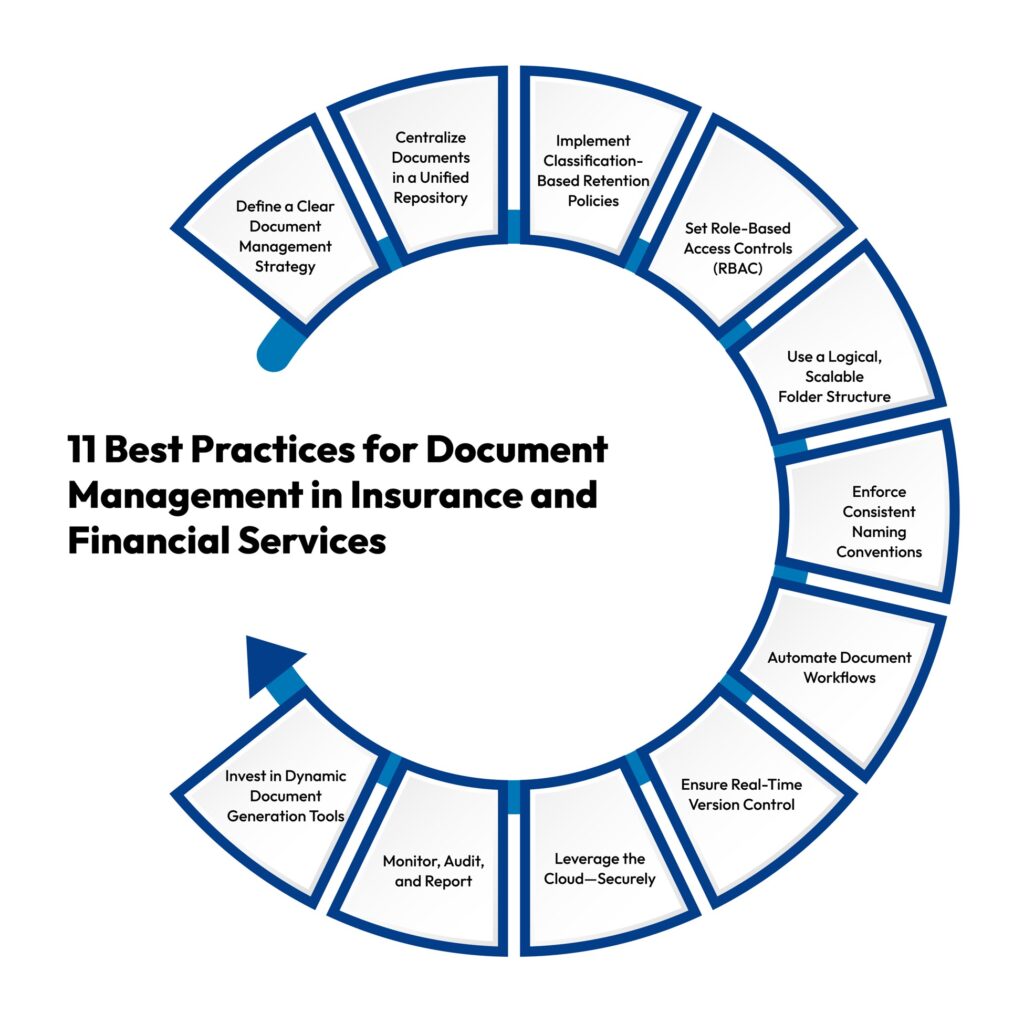
Define a Clear Document Management Strategy
Start with a governance plan to specifically link sets of documents to the business processes they support, the rules to which they must adhere, and the points of the customer experience on which they have an impact. Define the ownership in detail, outline the lifetime of documents, and take steps to keep them in constant readiness for the sake of the audit. This prevents confusion and keeps your business in control.
Centralize Documents in a Unified Repository
Centralize all your software documents, like claims systems, underwriting applications, and CRM applications, in one universal hub. Make sure the hub is in a position to support:
- Metadata tagging
- Full-text search
- Digital documents
Customer communication management systems automate the audit process, eliminate duplication, and make it quicker for the team to find the items they need, irrespective of the department they belong to.
Implement Classification-Based Retention Policies
Leverage an intelligent retention engine to apply rules according to the type of document—e.g., policy forms, proof of identification, or claim forms. Configure automatic purge or archive triggers based on:
- Regulatory mandates (GDPR, HIPAA, IRDAI)
- Event-based triggers (claim closure, policy maturity)
- Legal holds for litigation support
Set Role-Based Access Controls (RBAC)
Practice role-based access as opposed to giving individuals direct permissions. Connect your document platform to secure identity systems and require multi-factor authentication. In this way, confidential information such as financial and personal information remains safe while access is kept traceable and organized.
Use a Logical, Scalable Folder Structure
Arrange files by the customer journey they’re part of—pre-sale, onboarding, active, or even lapsed. Organize them by metadata like policy type and customer ID as well. Don’t bury folders deep, and prominently identify all of them by version, date, and document owner.
Enforce Consistent Naming Conventions
Standardized document names improve automation and reduce retrieval errors. Example:
<CustID>_<DocType>_<YYYYMMDD>_<Version>
Automate file naming rules via CCM systems to ensure uniformity across teams and geographies.
Automate Document Workflows
Take advantage of dynamic insurance document creation software such as CCM to automate routing documents for legal approval, stakeholder approval, and compliance confirmation, ensuring all communications are accurate, accessible, and audit-ready. For example:
- Claims docs → adjuster → supervisor → compliance
- Policy changes → underwriting → legal → customer
Trigger actions based on metadata or status (e.g., send a reminder if the SLA is breached).
Ensure Real-Time Version Control
Include check-in/check-out functionality, audit trails, and version locking to eliminate overwrites by mistake. Cincom Eloquence provides an embedded version history with rollback, essential in the event of audits and disagreements.
Leverage the Cloud—Securely
Cloud-native or hybrid-cloud document storage enables flexibility, remote access, and elastic scale. Ensure the vendor supports:
- Encryption at rest and in transit
- Data residency controls
- Compliance certifications
Monitor, Audit, and Report
Utilize usage and access analytics to spot anomalies. Produce auto-generated audit trails to meet regulatory needs. CCM platforms provide in-the-moment dashboards to spot points of bottleneck, SLA risk, or compliance breach.
Invest in Dynamic Document Generation Tools
Use CCM platforms to build intelligent, template-driven communications. These tools allow you to:
- Auto-populate fields from CRM/ERP.
- Personalize documents by policyholder or region.
- Maintain compliance using rule-based templates.
This reduces turnaround times, improves accuracy, and ensures branding and language consistency on all documents.
When you handle document management the right way, you reduce non-compliance risk, expedite service fulfillment, and offer a smooth customer experience. The following 11 best practices for document management will future-proof your document workflow and align it with the core goals of your company.
Related: Your Go-To Guide for Choosing the Best Document Automation Tools
What Makes a Document Management System Suitable for High-Volume Environments?
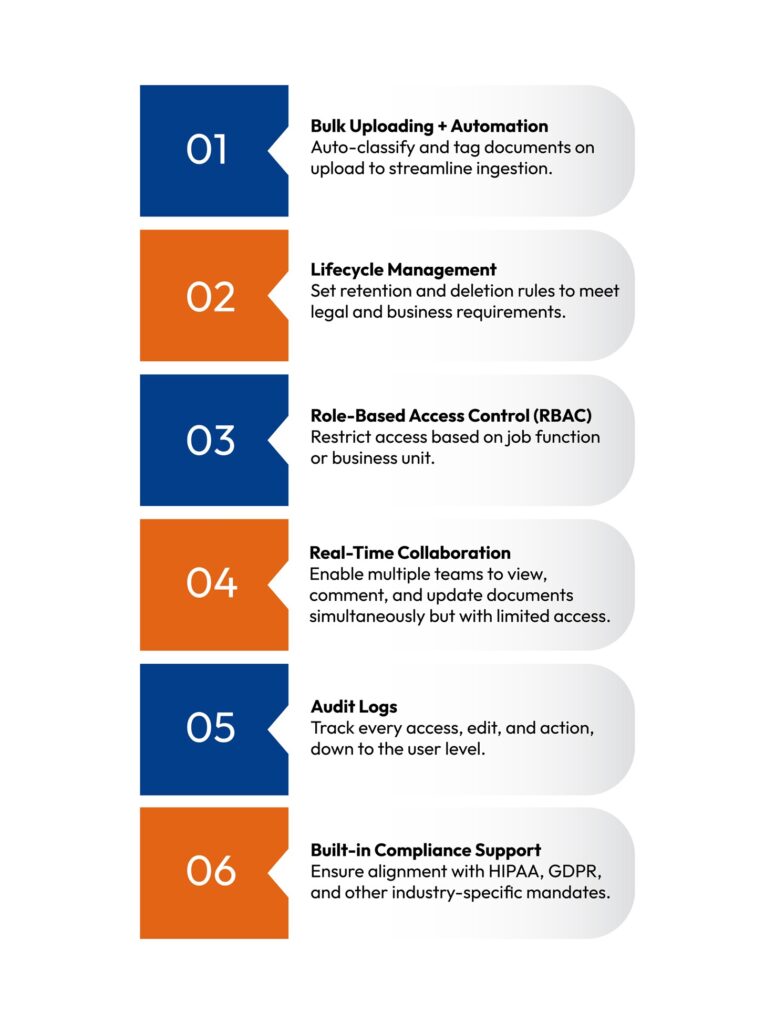
Knowing the best practices is only one aspect of the solution. In order to actually deploy your efforts, you need a dynamic insurance document creation solution—one designed for the complexity, the compliance, and the speed of insurance business operations. Here’s what to look for in finding the solution to grow alongside your business:
Conclusion & Next Steps
Today, companies that are just using digital document processes achieve 5 times more business continuity enhancements than others utilizing the outdated model. This clearly indicates that scaling document management is more than just storage and delivery; it’s about precision, automation, and compliance at every touchpoint. Cincom Eloquence delivers exactly that.
Cincom Eloquence is the next-gen Customer Communication Software, engineered for high-volume environments. It not only streamlines document generation, ensures regulatory compliance, and integrates seamlessly across systems but also helps in elevating your communication endeavors.
If you’re ready to modernize how you manage insurance documents, Cincom Eloquence is built for the job.
FAQs
1- What industries benefit most from document management systems?
Industries like life insurance, health insurance, property & casualty (P&C) insurance, and financial services benefit significantly. These sectors deal with high volumes of customer-facing and regulatory content. A system that supports documentation management best practices and enables dynamic insurance document creation ensures accuracy, compliance, and operational efficiency in such industries.
2- How do I know if my organization is managing documents inefficiently?
If your teams struggle with retrieving files, rely on manual processes, or face frequent versioning issues, you’re likely operating inefficiently.
3- What are the security risks of poor document management?
Poorly managed documents increase the risk of data breaches, non-compliance penalties, and unauthorized access. Without encryption, audit trails, or role-based controls, sensitive information in insurance policy document software may be exposed, jeopardizing customer trust and violating regulations like HIPAA and GDPR.
4- Can cloud-based systems handle high-volume document environments?
Yes. Modern cloud-based insurance policy document software like Cincom Eloquence is built to scale. These systems support bulk uploads, automated processing, and real-time collaboration, ensuring speed and reliability even in high-volume environments like claims processing or policy renewals.
5- What’s the ROI of switching to a digital document management platform?
Switching to a digital platform improves turnaround time, reduces human error, and cuts down storage and compliance costs. With dynamic insurance document creation, insurers can automate workflows and personalize communication, translating into higher customer satisfaction, lower risk, and measurable efficiency gains.